Dynamics AX Blog - Posts from April 2020
These posts are machine-translated.
Currently, only posts from »April 2020« are displayed 
Create picking list for specific lines in a sales orderI do not know how to create a picking list by code only for certain order items. Therefore I use the following approach: I create the pick list using the SalesFormLetter framework and before the decisive step (executing the run() method) I delete those entries in the SalesParmLine table that I do not need.
static void createSalesPickingListSingleLine(Args _args)
{
SalesTable salesTable = salesTable::find("001862"); // Sales order
container inventTransIdCon = ["014015", "014016"]; // LOT-IDs to pick
SalesFormLetter salesFormLetter;
SalesParmLine salesParmLine;
salesFormLetter = SalesFormLetter::construct(DocumentStatus::PickingList);
// Do the steps manually, which normally are done in method
// salesFormLetter.update()
salesFormLetter.salesTable(salesTable);
salesFormLetter.initParmSalesTable(salesFormLetter.salesTable());
salesFormLetter.transDate(systemDateGet());
salesFormLetter.specQty(SalesUpdate::All);
salesFormLetter.proforma(salesFormLetter.salesParmUpdate().Proforma);
salesFormLetter.printFormLetter(salesFormLetter.printFormLetter());
salesFormLetter.printCODLabel(NoYes::No);
salesFormLetter.printShippingLabel(NoYes::No);
salesFormLetter.usePrintManagement(false);
salesFormLetter.creditRemaining(salesFormLetter.creditRemaining());
salesFormLetter.createParmUpdateFromParmUpdateRecord(
SalesFormletterParmData::initSalesParmUpdateFormletter(
salesFormLetter.documentStatus(),
salesFormLetter.pack(),
true,
false,
false));
salesFormLetter.initParameters(
salesFormLetter.salesParmUpdate(),
Printout::Current);
salesFormLetter.initLinesQuery();
// Delete unwanted records in SalesParmLine
while select forupdate salesParmLine
where salesParmLine.ParmId == salesFormLetter.parmId()
{
if (conFind(inventTransIdCon, salesParmLine.InventTransId) == 0)
{
salesParmLine.delete();
}
}
// Let's go
salesFormLetter.run();
}
|
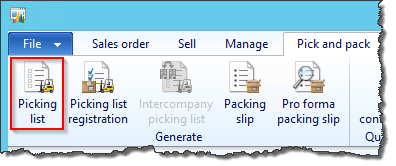
Create a picking list for all lines in a sales orderThe code example below shows how to create a picking list for all lines of a sales order by code.
static void createSalesPickingList(Args _args)
{
SalesTable salesTable = SalesTable::find("000752");
SalesFormLetter salesFormLetter;
salesFormLetter = SalesFormLetter::construct(DocumentStatus::PickingList);
salesFormLetter.update(salesTable, systemDateGet(), SalesUpdate::All);
}
|
|
|
|
|
|
|
The code example below shows how you can use code to post an entry for a picking list (assuming that all necessary information such as the picking location has already been entered).
static void pickingListRegistration(Args _args)
{
    WMSPickingRouteID pickingRouteID = "00061";    // Route id to be picked
    List list = new List(Types::String);

    list.addEnd(pickingRouteID);

    WMSPickingRoute::finishMulti(list.pack());

    wmsDeliverPickedItems::checkDeliverPickedItems(pickingRouteID, list.pack());
}