Dynamics AX Blog - Dynamics AX 2012 - Posts from January 2019
These posts are machine-translated.
Currently, only posts are displayed, which are relevant for Dynamics AX version »Dynamics AX 2012« 
RSS-Feed of this version
RSS-Feed of this version
Currently, only posts from »January 2019« are displayed
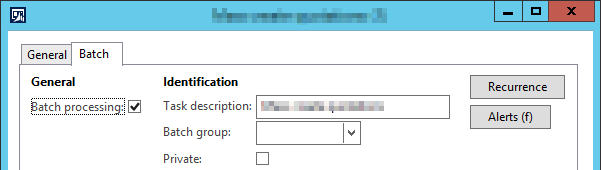
SysOperation-Framework: Enable batch processing by defaultIf you want to activate batch processing by default for a function implemented via the SysOperation framework, you can do this by modifying the UI Builder like in the following example.
public void build()
{
super();
this.controller().batchInfo().parmBatchExecute(NoYes::Yes);
}
The code activates the checkbox Batch processing in the Batch tab.
|
|
|
|
|
|
|
The code below is the simplest way to implement a function using the SysOperation framework. Without DataController, Dataprovider and UIBuilder. Only with a service class and a MenuItem.
Service
class TutorialSysOperationSimpleService extends SysOperationServiceBase
{
}
The runService() method is the actual service method. The SysEntryPointAttribute attribute controls that no further authorization checks are necessary.
[SysEntryPointAttribute(false)]
public void runService()
{
    info("Done");
}