Dynamics AX Blog - Dynamics AX 2012 - Beiträge von 2014 - Seite 4

RSS-Feed dieser Version
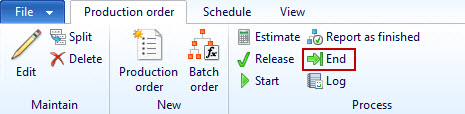
Produktionsauftrag per Code beenden
Dynamics AX stellt ein Framework zur Verfügung, mit dessen Hilfe man Produktionsaufträge in einen bestimmten Status überführen kann. Im Beispiel wird ein Produktionsauftrag beendet. Wenn man mehrere Aufträge gleichzeitig aktualisieren möchte, muss man die Methode ProdMultiHistoricalCost.insert() einfach entsprechend oft aufrufen und den jeweiligen Datensatz der ProdTable übergeben. static void prodEnd(Args _args) { ProdTable prodTable; ProdMultiHistoricalCost prodMultiHistoricalCost; prodTable = ProdTable::find("P000195"); prodMultiHistoricalCost = ProdMultiHistoricalCost::construct(new Args()); RunBaseMultiParm::initParm(prodMultiHistoricalCost); prodMultiHistoricalCost.insert(prodTable, prodMultiHistoricalCost.defaultParmBuffer()); prodMultiHistoricalCost.run(); } |
(Liefer-)Adresse einer Partei ermittelnDer hier vorgestellt Job ermittelt die Lieferadresse eines Debitoren. Dabei wird die zuerst gefundene (sollte der Debitor mehrere Lieferadressen haben) über das Infolog ausgegeben. Statt einem Debitoren kann natürlich jede andere Entität, die im Globalen Adressbuch gespeichert ist (Kreditoren, Personen, ...), abgefragt werden.
static void getAddressFromParty(Args _args)
{
    CustTable custTable = CustTable::find('US-003');
    Addressing addressing;

    // Get (first found) delivery address (denormalized)
    addressing =
    DirParty::getPostalAddressByType(custTable.Party, LogisticsLocationRoleType::Delivery);

    info(addressing);
}
Auf diese Art & Weise lassen sich natürlich auch andere Adressen ermitteln, im Beispiel die Zahlungsadresse:
static void getAddressFromParty(Args _args)
{
    CustTable custTable = CustTable::find('US-003');
    Addressing addressing;

    // Get (first found) payment address
    addressing =
    DirParty::getPostalAddressByType(custTable.Party, LogisticsLocationRoleType::Payment);

    info(addressing);
} |
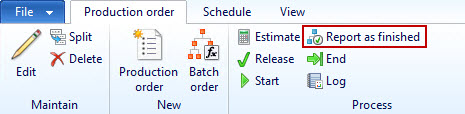
Produktionsauftrag per Code fertigmelden
Dynamics AX stellt ein Framework zur Verfügung, mit dessen Hilfe man Produktionsaufträge in einen bestimmten Status überführen kann. Im Beispiel wird ein Produktionsauftrag fertig gemeldet. Wenn man mehrere Aufträge gleichzeitig aktualisieren möchte, muss man die Methode ProdMultiReportFinished.insert() einfach entsprechend oft aufrufen und den jeweiligen Datensatz der ProdTable übergeben. static void prodReportFinished(Args _args) { ProdTable prodTable; ProdMultiReportFinished prodMultiReportFinished; prodTable = ProdTable::find("P000195"); prodMultiReportFinished = ProdMultiReportFinished::construct(new Args()); RunBaseMultiParm::initParm(prodMultiReportFinished); prodMultiReportFinished.insert(prodTable, prodMultiReportFinished.defaultParmBuffer()); prodMultiReportFinished.run(); } |
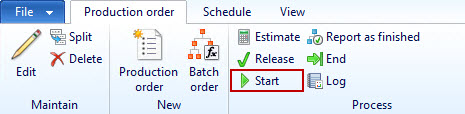
Produktionsauftrag per Code starten
Dynamics AX stellt ein Framework zur Verfügung, mit dessen Hilfe man Produktionsaufträge in einen bestimmten Status überführen kann. Im Beispiel wird ein Produktionsauftrag gestartet. Wenn man mehrere Aufträge gleichzeitig aktualisieren möchte, muss man die Methode ProdMultiStartUp.insert() einfach entsprechend oft aufrufen und den jeweiligen Datensatz der ProdTable übergeben. static void prodStartUp(Args _args)
{ ProdTable prodTable; ProdMultiStartUp prodMultiStartUp; prodTable = ProdTable::find("P000160"); prodMultiStartUp = ProdMultiStartUp::construct(new Args()); RunBaseMultiParm::initParm(prodMultiStartUp); prodMultiStartUp.insert(prodTable, prodMultiStartUp.defaultParmBuffer()); prodMultiStartUp.run(); } |
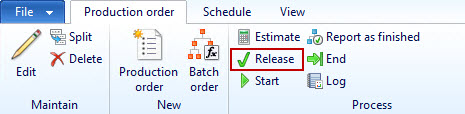
Produktionsauftrag per Code freigeben
Dynamics AX stellt ein Framework zur Verfügung, mit dessen Hilfe man Produktionsaufträge in einen bestimmten Status überführen kann. Im Beispiel wird ein Produktionsauftrag freigegeben. Wenn man mehrere Aufträge gleichzeitig aktualisieren möchte, muss man die Methode ProdMultiRelease.insert() einfach entsprechend oft aufrufen und den jeweiligen Datensatz der ProdTable übergeben. static void prodRelease(Args _args) { ProdTable prodTable; ProdMultiRelease prodMultiRelease; prodTable = ProdTable::find("P000177"); prodMultiRelease = ProdMultiRelease::construct(new Args()); RunBaseMultiParm::initParm(prodMultiRelease); prodMultiRelease.insert(prodTable, prodMultiRelease.defaultParmBuffer()); prodMultiRelease.run(); } |
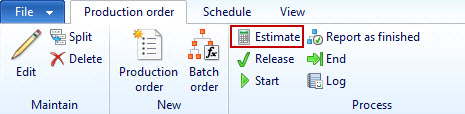
Produktionsauftrag per Code vorkalkulieren
Dynamics AX stellt ein Framework zur Verfügung, mit dessen Hilfe man Produktionsaufträge in einen bestimmten Status überführen kann. Im Beispiel wird ein Produktionsauftrag vorkalkuliert. Wenn man mehrere Aufträge gleichzeitig aktualisieren möchte, muss man die Methode ProdMultiCostEstimation.insert() einfach entsprechend oft aufrufen und den jeweiligen Datensatz der ProdTable übergeben.
static void prodCostEstimation(Args _args)
{
    ProdTable prodTable;
    ProdMultiCostEstimation prodMultiCostEstimation;

    prodTable = ProdTable::find("P000160");

    prodMultiCostEstimation =
    ProdMultiCostEstimation::construct(new Args());

    RunBaseMultiParm::initParm(prodMultiCostEstimation);
    prodMultiCostEstimation.insert(
        prodTable,
        prodMultiCostEstimation.defaultParmBuffer());

    prodMultiCostEstimation.run();
}
|
|
|
|
|
|
|
|
Wenn man einen Produktionsauftrag für eine Auftragsposition erstellen möchte, kann der folgende Job eine Idee liefern, wie man das machen kann.
{
SalesLine salesLine = SalesLine::findInventTransId('011748');
ProdTable prodTable;
prodTable.initValue();
prodTable.initFromCaller(salesLine);
prodTable.insert();
}