Dynamics AX Blog - Microsoft Dynamics AX (Axapta) - Page 16

In recent years, i spent a lot of time in developing in the environment of Microsoft Dynamics AX (formerly Axapta). During this time i created a lot of code, from which I could imagine, that it might be very useful for other AX developers too. But I will present also tips and tricks round the powerful ERP system.
Subscribe to RSS feed of this categoryCreate pallet through codeThe following job shows how to create a palette by code and it pulls the pallet number from a number sequence. Important in the latter case, is to the call numberSeq.used() so that the drawn number is marked as "used".
static void howToUseNumberSeq(Args _args)
{
    WMSPallet wmsPallet;
    NumberSeq numberSeq;

    #define.InventLocationId("12")
    #define.WMSLocationId("L01")

    ttsbegin;
    wmsPallet.clear();
    wmsPallet.initValue();
    wmsPallet.InventLocationId = #InventLocationId;
    wmsPallet.wmsLocationId    = #WMSLocationId;

    numberSeq = WMSPallet::numberSeq(true,true);
    if (numberSeq)
    {
        wmsPallet.wmsPalletId  = WMSPalletIdGenerate::newPalletIdFromNumberSeq(numberSeq);
        numberSeq.used();
    }

    if(wmsPallet.validateWrite())
    {
        wmsPallet.insert();
    }
    else
    {
        throw error("@SYS96731");
    }
    ttscommit;
} |
Check/post Price-/discount agreement journals trough codeThe next lines of code should show, how checking or posting of Price-/discount agreement journals is done. static void checkOrPostPriceDiscJournal(Args _args) { PriceDiscAdmCheckPost priceDiscAdmCheckPost; PriceDiscAdmTable priceDiscAdmTable; PriceDiscJournalNum priceDiscJournalNum = "PDJ-00014"; priceDiscAdmTable = PriceDiscAdmTable::find(priceDiscJournalNum); if (priceDiscAdmTable.Posted) { throw error("@SYS21497"); } priceDiscAdmCheckPost = new PriceDiscAdmCheckPost(true); // true = Checkonly, false = Post priceDiscAdmCheckPost.initJournalNum(priceDiscJournalNum); priceDiscAdmCheckPost.run(); } |
Create a picking list for production orderThe following job creates a picking list for a production order.
static void createPickingList(Args _args)
{
    ProdJournalCreateBOM prodJournalCreateBOM;

    prodJournalCreateBOM = ProdJournalCreateBOM::construct();

    prodJournalCreateBOM.parmProdId('P000188');
    prodJournalCreateBOM.parmJournalNameId(ProdJournalName::standardJournalName(ProdJournalType::Picklist, prodJournalCreateBOM.parmProdId()));
    prodJournalCreateBOM.parmTransDate(systemDateGet());
    prodJournalCreateBOM.parmBOMAutoConsump(BOMAutoConsump::Never);
    prodJournalCreateBOM.parmProposalAsConsump(NoYes::No);
    prodJournalCreateBOM.parmQtyCalc(5);
    prodJournalCreateBOM.parmConsumpProposal(ProdBOMConsumpProposal::Qty);

    prodJournalCreateBOM.run();
}
If the Header already exists, you can use the following Job:
static void createPickingList(Args _args)
{
    ProdJournalCreateBOM prodJournalCreateBOM;

    prodJournalCreateBOM = ProdJournalCreateBOM::construct();

    prodJournalCreateBOM.parmProdId('P000188');
    prodJournalCreateBOM.parmJournalId('00926');    // Bei bestehendem Journalkopf
    prodJournalCreateBOM.parmTransDate(systemDateGet());
    prodJournalCreateBOM.parmBOMAutoConsump(BOMAutoConsump::Never);
    prodJournalCreateBOM.parmProposalAsConsump(NoYes::No);
    prodJournalCreateBOM.parmQtyCalc(11);
    prodJournalCreateBOM.parmConsumpProposal(ProdBOMConsumpProposal::Qty);

    prodJournalCreateBOM.run();
} |
Create a production order for a sales order line through codeIf you want to create a production order for a sales order line, the following job can provide an idea of how to do it. static void createProdTableForSalesLine(Args _args)
{ SalesLine salesLine = SalesLine::findInventTransId('011748'); ProdTable prodTable; prodTable.initValue(); prodTable.initFromCaller(salesLine); prodTable.insert(); }
|
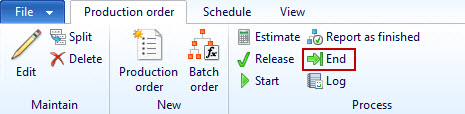
End/finish a production order through code
Dynamics AX provides a framework, which can be used to update production orders to a specific status. In the example, a production order is ended/finished. If you want to update several production orders at the same time, you must invoke the ProdMultiHistoricalCost.insert() method per production order and pass the respective record of ProdTable.
static void prodEnd(Args _args) { ProdTable prodTable; ProdMultiHistoricalCost prodMultiHistoricalCost; prodTable = ProdTable::find("P000195"); prodMultiHistoricalCost = ProdMultiHistoricalCost::construct(new Args()); RunBaseMultiParm::initParm(prodMultiHistoricalCost); prodMultiHistoricalCost.insert(prodTable, prodMultiHistoricalCost.defaultParmBuffer()); prodMultiHistoricalCost.run(); } |
Determine the (delivery-)address of a partyThe job presented here determines the delivery address of a debitor. The first one found (if the customer has several delivery addresses) is shown via the infolog. Of course, instead of a customer, any other entity stored in the Global Address Book (vendors, persons, ...) can be queried.
static void getAddressFromParty(Args _args)
{
    CustTable custTable = CustTable::find('US-003');
    Addressing addressing;

    // Get (first found) delivery address (denormalized)
    addressing =
    DirParty::getPostalAddressByType(custTable.Party, LogisticsLocationRoleType::Delivery);

    info(addressing);
}
In this way, of course, other addresses can be determined, in the example, the payment address:
static void getAddressFromParty(Args _args)
{
    CustTable custTable = CustTable::find('US-003');
    Addressing addressing;

    // Get (first found) payment address
    addressing =
    DirParty::getPostalAddressByType(custTable.Party, LogisticsLocationRoleType::Payment);

    info(addressing);
} |
|
|
|
|
|
|
The following job lists all tables where a particular property - in the example the property ModifiedBy is requested - has a specific value.
In macro #Properties you find another possible properties of AOT objects, so you can use the job also to query other properties.
{
TreeNode treeNodeTables;
TreeNode treeNode;
str prop;
str properties;
#aot
#Properties;
treeNodeTables = TreeNode::findNode(#TablesPath + #AOTRootPath);
treeNodeTables = treeNodeTables.AOTfirstChild();
while(treeNodeTables)
{
properties = treeNodeTables.AOTgetProperties();
prop = Global::findProperty(properties,#PropertyModifiedBy);
if(prop == "yes")
{
info(treeNodeTables.AOTname());
}
treeNodeTables = treeNodeTables.AOTnextSibling();
}
}